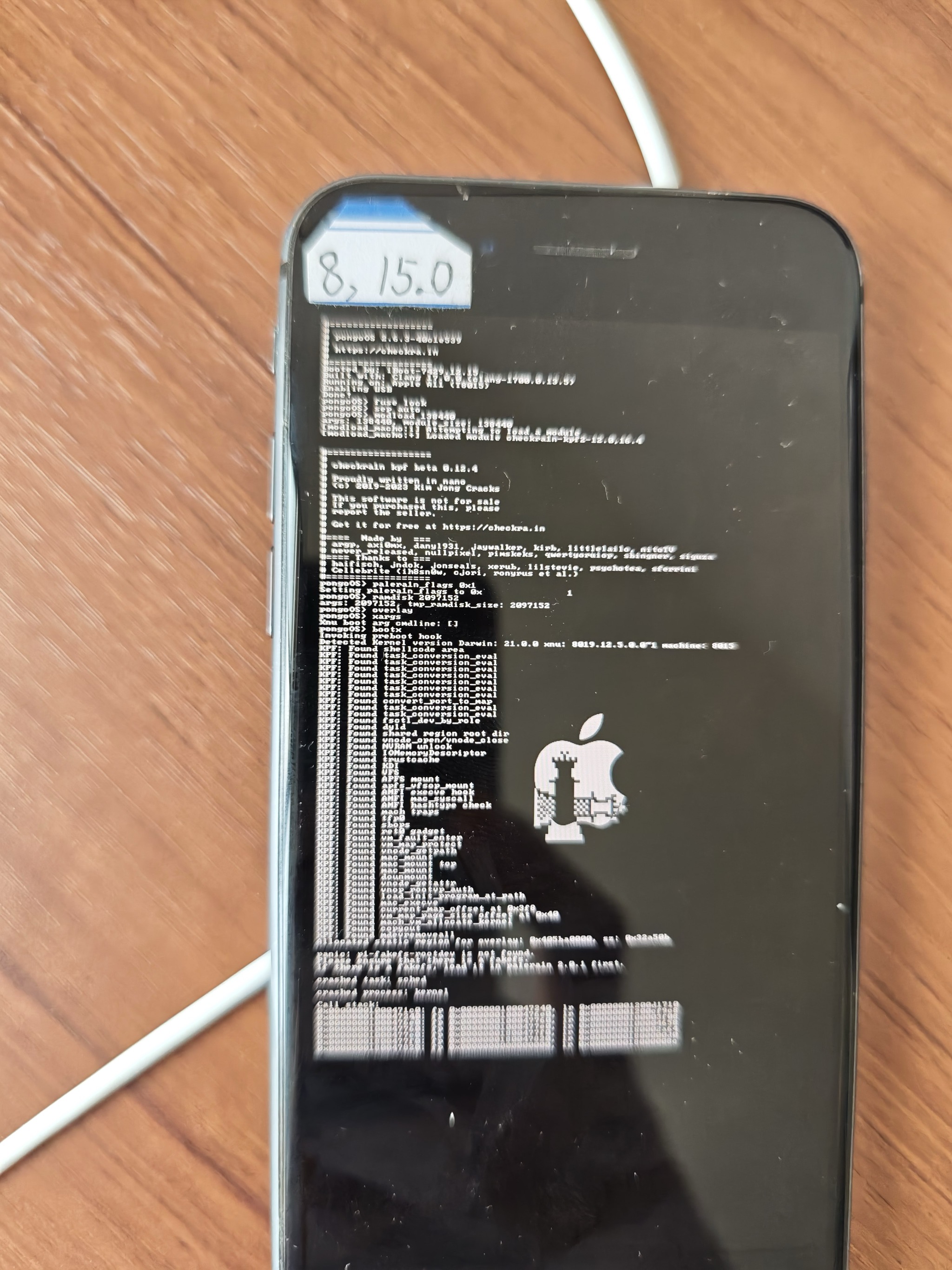
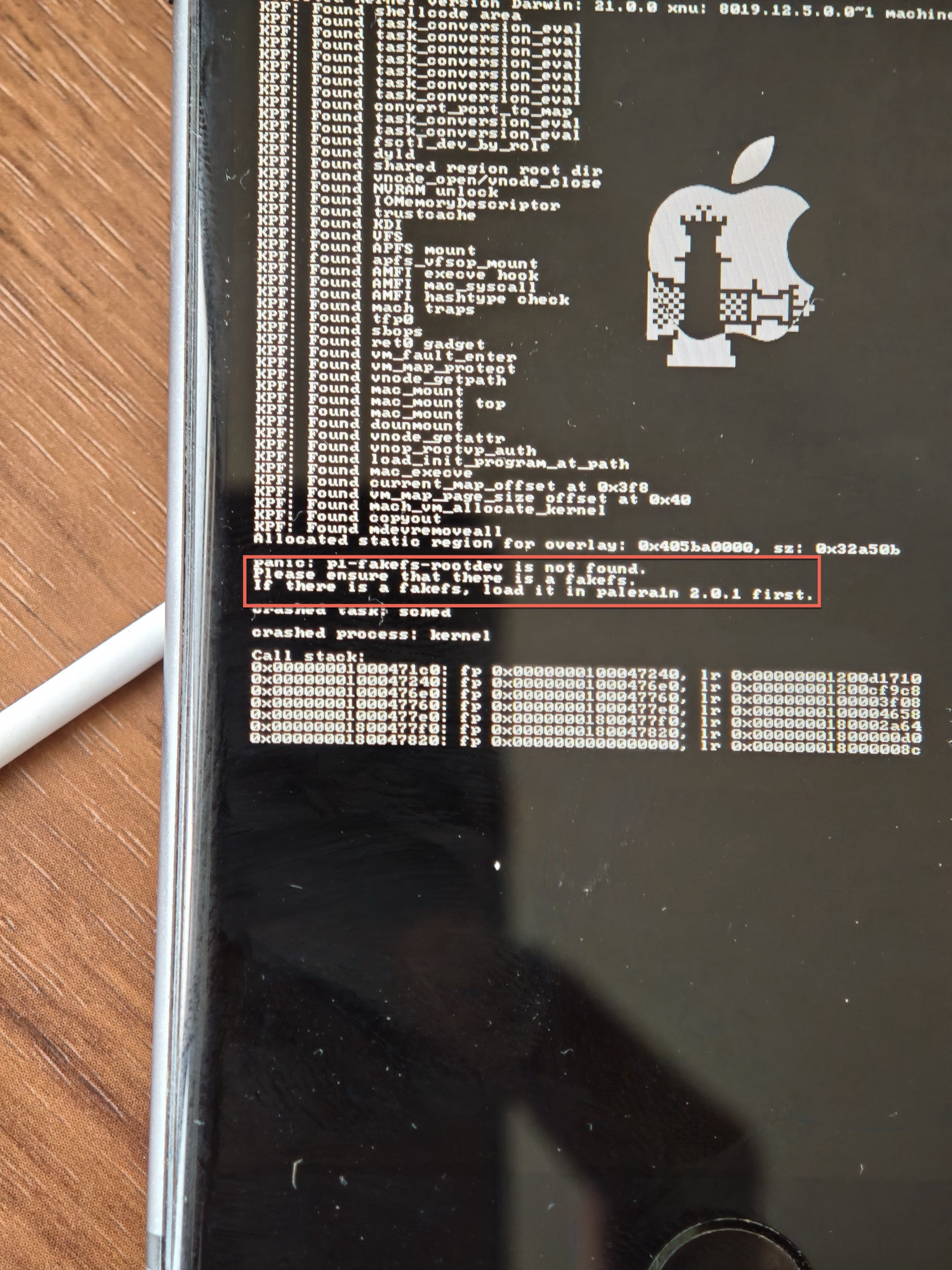
panic: p1-fakefs-rootdev is not found
- 现象:用palera1n去(
palera1n -c -f)新的越狱 或 (palera1n -f)恢复越狱,时,往往会遇到:虽然各个操作和步骤都对,但是最后还是无法正常实现palera1n的越狱=iPhone启动后没有palera1n的app,而此时往往越狱期间看到的,苹果手机的刷出的大量的logo中,有对应的报错:panic: p1-fakefs-rootdev is not found
- 原因
- 情况1=原因1:此处本身没有fakefs,所以无法恢复越狱,是正常的
- 细节:对于iOS 15.0的iPhone8,之前是用了Dopamine,去做了rootless的无根越狱,本身就没有fakefs,而自己误以为之前是用了palera1n的rootful的越狱,所以尝试用
palera1n -f去恢复越狱,所以始终失败,而报此错误
- 解决办法:只能继续去想办法去重新用palera1n去rootful越狱,或者用旧的已有的Dopamine的rootless越狱,都可以
- 情况2=原因2:palera1n全新越狱失败,前面的
palera1n -c -f创建fakefs失败,导致后续palera1n -f启动时,找不到fakefs,无法越狱
- 细节:对于此处的iOS 15.0的iPhone8,已经打算用
palera1n -c -f去全新越狱,但是试了多次,还是此错误,找不到fakefs
- 解决办法:
- (之前试过,此处暂时还没试,但是应该有效)尝试用
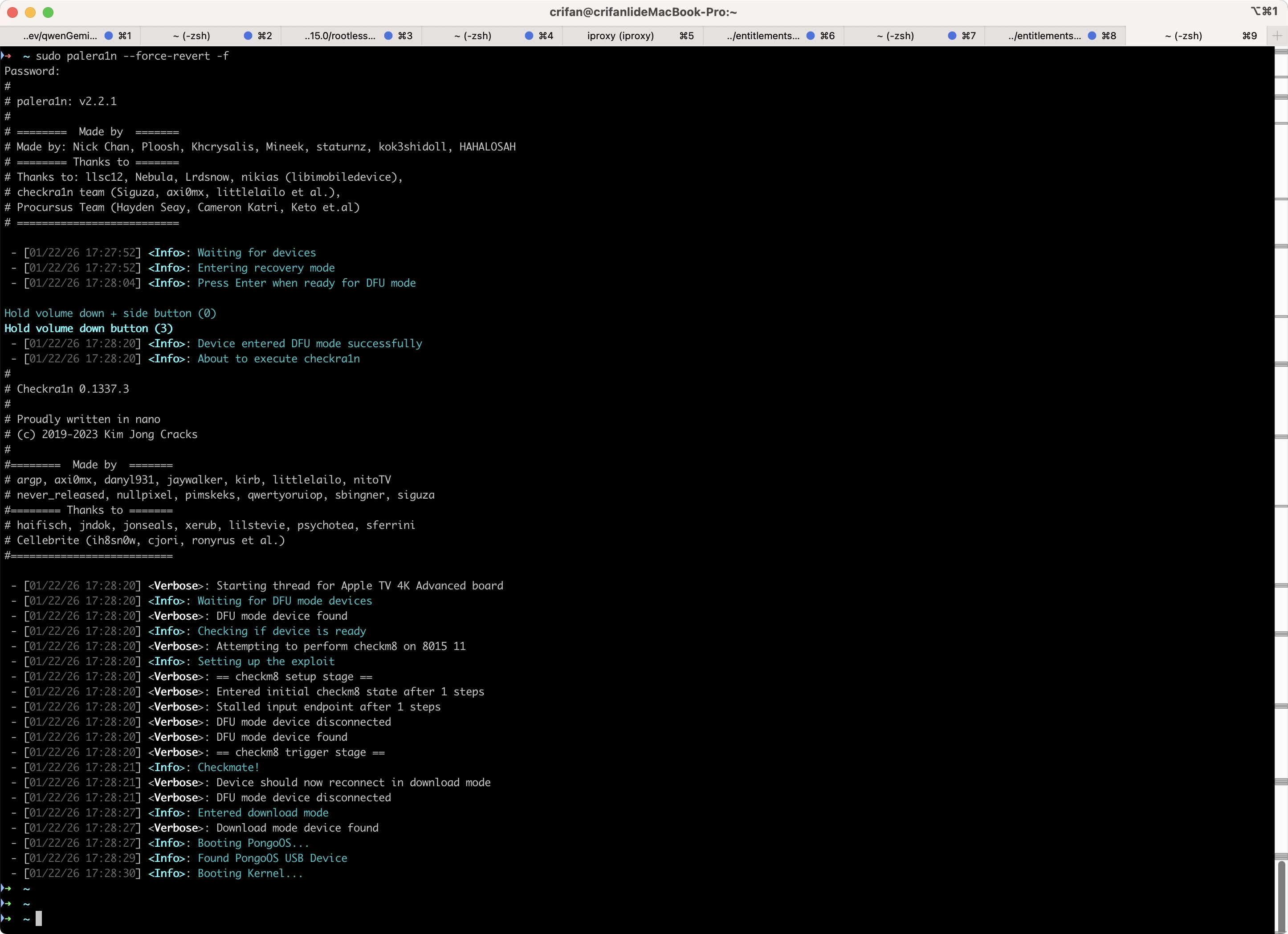
sudo palera1n --force-revert -f去清除之前残留的异常的内容(fakefs),然后再重新palera1n -c -f+palera1n -f,应该就可以了
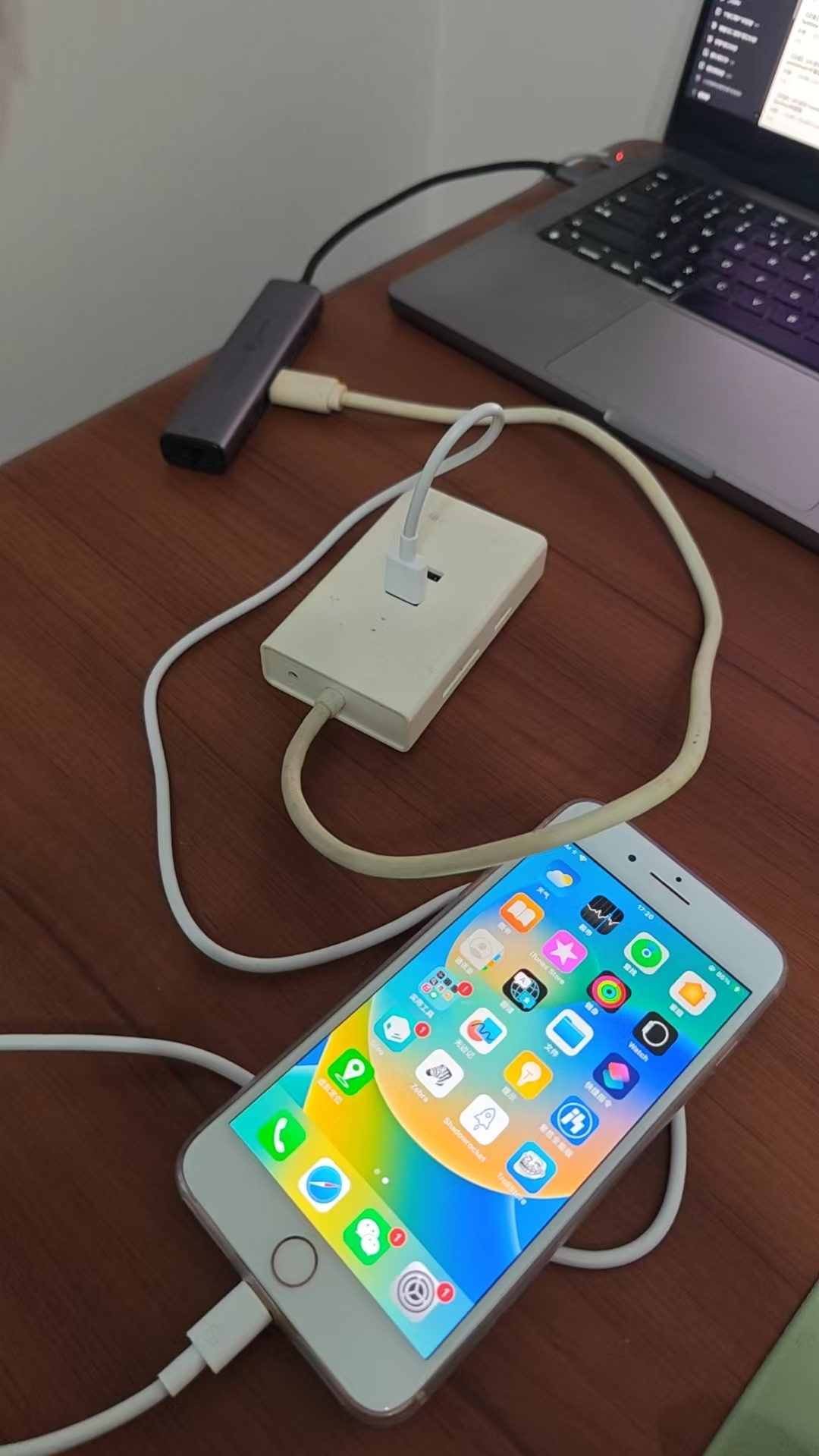
- 补充说明:之前以为会有个缺点,之前安装的app都丢失了呢,但是其实不是,早些时候试过这个办法,是:之前本身异常的残留的Sileo,此处经过revert后,而丢失了,但其他正常的普通的app,包括Shadowrocket、TrollStore等等,全都在的,是不会丢失普通正常的app的
- 效果
➜ ~ sudo palera1n --force-revert -f
Password:
- [01/22/26 17:27:52] <Info>: Waiting for devices
- [01/22/26 17:27:52] <Info>: Entering recovery mode
- [01/22/26 17:28:04] <Info>: Press Enter when ready for DFU mode
Hold volume down + side button (0)
Hold volume down button (3)
- [01/22/26 17:28:20] <Info>: Device entered DFU mode successfully
- [01/22/26 17:28:20] <Info>: About to execute checkra1n
- [01/22/26 17:28:20] <Verbose>: Starting thread for Apple TV 4K Advanced board
- [01/22/26 17:28:20] <Info>: Waiting for DFU mode devices
- [01/22/26 17:28:20] <Verbose>: DFU mode device found
- [01/22/26 17:28:20] <Info>: Checking if device is ready
- [01/22/26 17:28:20] <Verbose>: Attempting to perform checkm8 on 8015 11
- [01/22/26 17:28:20] <Info>: Setting up the exploit
- [01/22/26 17:28:20] <Verbose>: == checkm8 setup stage ==
- [01/22/26 17:28:20] <Verbose>: Entered initial checkm8 state after 1 steps
- [01/22/26 17:28:20] <Verbose>: Stalled input endpoint after 1 steps
- [01/22/26 17:28:20] <Verbose>: DFU mode device disconnected
- [01/22/26 17:28:20] <Verbose>: DFU mode device found
- [01/22/26 17:28:20] <Verbose>: == checkm8 trigger stage ==
- [01/22/26 17:28:21] <Info>: Checkmate!
- [01/22/26 17:28:21] <Verbose>: Device should now reconnect in download mode
- [01/22/26 17:28:21] <Verbose>: DFU mode device disconnected
- [01/22/26 17:28:27] <Info>: Entered download mode
- [01/22/26 17:28:27] <Verbose>: Download mode device found
- [01/22/26 17:28:27] <Info>: Booting PongoOS...
- [01/22/26 17:28:29] <Info>: Found PongoOS USB Device
- [01/22/26 17:28:30] <Info>: Booting Kernel...